Install Android Studio via PPA in Ubuntu:
Installing Android Studio in Ubuntu becomes easy. A Ubuntu PPA contains simple script that automatically downloads and installs the latest release from Google download server. So far, Ubuntu 15.04, Ubuntu 14.10, Ubuntu 14.04, and Ubuntu 12.04 are supported.1. Android Studio depends on Java, and Oracle Java 7 or 8 is recommended. Press Ctrl+Alt+T on keyboard to open terminal. When it opens, run the commands below one by one:
sudo add-apt-repository -y ppa:webupd8team/java

sudo apt-get update

sudo apt-get install oracle-java7-installer oracle-java7-set-default
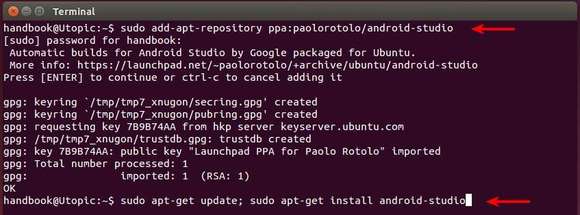
2. To add the Android Studio PPA, run the command:
sudo add-apt-repository ppa:paolorotolo/android-studioThen update package lists and install the script:
sudo apt-get update

sudo apt-get install android-studio
Depends on your internet connection, it takes a few minutes downloading the source package.
Once installed, start the setup wizard from the Unity Dash (may need restart), or just run command
/opt/android-studio/bin/studio.sh.